(365) 226-10-97 buxdpi@buxdpi.uz 2 Piridastgir Street, Bukhara City
shape
shape

The Best Mobile Apps for University Students: 15 Essential Apps for Learning and Everyday Life

  • Home
  • Talabalar uchun
  • The Best Mobile Apps for University Students: 15 Essential Apps for Learning and Everyday Life
The Best Mobile Apps for University Students: 15 Essential Apps for Learning and Everyday Life

The Best Mobile Apps for University Students: 15 Essential Apps for Learning and Everyday Life

Modern technology has transformed the way students learn, communicate, and manage their daily responsibilities. Today, a smartphone is much more than a communication device—it is a powerful educational tool that helps students organize their studies, conduct research, manage their time, learn new languages, and improve productivity.

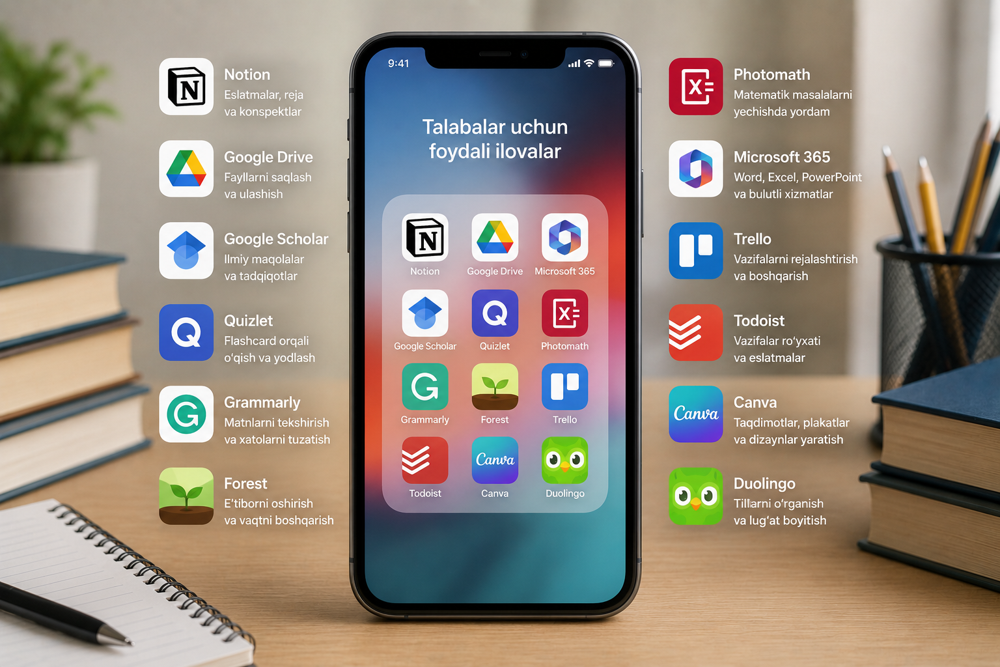
Choosing the right mobile applications can significantly enhance academic performance while making everyday student life more organized and efficient. Below are fifteen of the most useful mobile apps that every university student should consider using.


1. ChatGPT

ChatGPT is one of the most versatile AI-powered assistants available for students.

It can help with:

  • explaining complex concepts;
  • creating study notes;
  • outlining research papers;
  • learning programming;
  • translating text;
  • preparing for exams;
  • brainstorming ideas for assignments.

Students should always use ChatGPT responsibly and follow academic integrity guidelines.


2. Google Drive

Google Drive is one of the best cloud storage services for students.

Its benefits include:

  • secure file storage;
  • automatic synchronization across devices;
  • easy file sharing;
  • collaborative teamwork;
  • automatic backup of important documents.

This ensures that academic files remain accessible wherever students are.


3. Google Docs

Google Docs is an excellent tool for writing assignments, essays, research papers, and reports.

Key features include:

  • real-time collaboration;
  • automatic saving;
  • commenting and editing;
  • access from any device;
  • version history.

These features make group projects much easier to manage.


4. Google Calendar

Time management is an essential skill for academic success.

Google Calendar allows students to:

  • organize class schedules;
  • track examination dates;
  • set reminders;
  • schedule meetings;
  • manage deadlines efficiently.

Using a digital calendar helps students avoid missed assignments and important events.


5. Notion

Notion is an all-in-one productivity platform designed for organizing information.

Students can use it to:

  • take lecture notes;
  • manage assignments;
  • organize research projects;
  • create databases;
  • plan study schedules;
  • track academic goals.

Its flexibility makes it one of the most popular productivity tools among university students worldwide.


6. Microsoft OneNote

Microsoft OneNote functions as a digital notebook.

Students can store:

  • lecture notes;
  • handwritten notes;
  • images;
  • audio recordings;
  • PDF documents;
  • mathematical formulas.

Everything is organized in one convenient location.


7. Canva

Canva is one of the world's leading graphic design and presentation tools.

Students can create:

  • presentations;
  • infographics;
  • academic posters;
  • certificates;
  • project visuals;
  • social media content.

Its user-friendly interface allows anyone to produce professional-looking designs.


8. Google Translate

Google Translate is extremely useful when working with foreign-language materials.

It supports:

  • text translation;
  • camera translation;
  • voice translation;
  • document translation;
  • multilingual communication.

This makes it valuable for students studying international literature.


9. DeepL

DeepL is widely recognized as one of the most accurate AI translation tools.

It is especially useful for:

  • translating research papers;
  • academic documents;
  • professional correspondence;
  • technical literature.

Its natural language translations often provide higher quality than traditional machine translation.


10. Grammarly

Grammarly helps students improve their English writing skills.

It provides:

  • grammar correction;
  • spelling checks;
  • punctuation suggestions;
  • vocabulary improvements;
  • writing style recommendations;
  • clarity enhancements.

It is particularly valuable when preparing essays, reports, and research papers.


11. Google Scholar

Google Scholar enables students to search for reliable academic literature directly from their mobile devices.

It helps users:

  • find scholarly articles;
  • discover research papers;
  • access citations;
  • prepare literature reviews;
  • explore recent scientific publications.

It is one of the most important research tools for higher education.


12. Forest

Forest is a productivity app designed to improve concentration.

Students plant a virtual tree while studying. If they avoid using their phones, the tree continues to grow.

This simple approach helps students:

  • stay focused;
  • reduce phone distractions;
  • improve study habits;
  • increase productivity.

13. Duolingo

Duolingo is one of the most popular language-learning applications in the world.

Students can learn:

  • English;
  • German;
  • French;
  • Spanish;
  • Italian;
  • Japanese;
  • Korean;
  • and many other languages.

Its interactive lessons make language learning enjoyable and effective.


14. Wolfram Alpha

Wolfram Alpha is an excellent tool for students studying mathematics, engineering, physics, computer science, and other technical disciplines.

It assists with:

  • solving mathematical equations;
  • plotting graphs;
  • performing scientific calculations;
  • explaining formulas;
  • analyzing technical problems.

It serves as a powerful educational resource rather than just a calculator.


15. Microsoft Lens

Microsoft Lens transforms a smartphone into a portable document scanner.

Students can quickly digitize:

  • lecture notes;
  • textbook pages;
  • whiteboard content;
  • printed documents;
  • handwritten assignments.

Scanned files can be saved as PDFs and easily shared or stored in the cloud.


What Should Students Consider When Choosing Mobile Apps?

When selecting educational applications, students should evaluate:

  • data security and privacy;
  • reliability of the developer;
  • availability of free features;
  • ease of use;
  • compatibility across devices;
  • frequency of software updates.

Choosing trustworthy applications helps ensure a safer and more productive learning experience.


How Do Mobile Apps Benefit Students?

When used effectively, educational apps help students:

  • improve time management;
  • increase learning efficiency;
  • simplify academic research;
  • learn foreign languages;
  • develop digital skills;
  • organize assignments and projects;
  • collaborate more effectively with classmates.

These benefits contribute to better academic performance and stronger professional competencies.


Conclusion

Mobile applications have become indispensable tools for modern university students. Apps such as ChatGPT, Google Drive, Google Docs, Google Calendar, Notion, Microsoft OneNote, Canva, Google Translate, DeepL, Grammarly, Google Scholar, Forest, Duolingo, Wolfram Alpha, and Microsoft Lens simplify studying, support research, improve productivity, and enhance digital literacy. By choosing the right applications and using them responsibly, students can achieve greater academic success while developing valuable technological skills that will benefit them throughout their future careers.

SEO Keywords: best mobile apps for students, educational apps, student productivity apps, ChatGPT, Google Drive, Google Docs, Google Calendar, Notion, Microsoft OneNote, Canva, Grammarly, Google Scholar, Duolingo, Microsoft Lens, Wolfram Alpha, university students, higher education, digital learning, academic success, Bukhara State Pedagogical Institute.