(365) 226-10-97 buxdpi@buxdpi.uz 2 Piridastgir Street, Bukhara City
shape
shape

Canva Education: A Powerful Design Platform for Modern Teaching and Learning

Canva Education: A Powerful Design Platform for Modern Teaching and Learning

Canva Education: A Powerful Design Platform for Modern Teaching and Learning

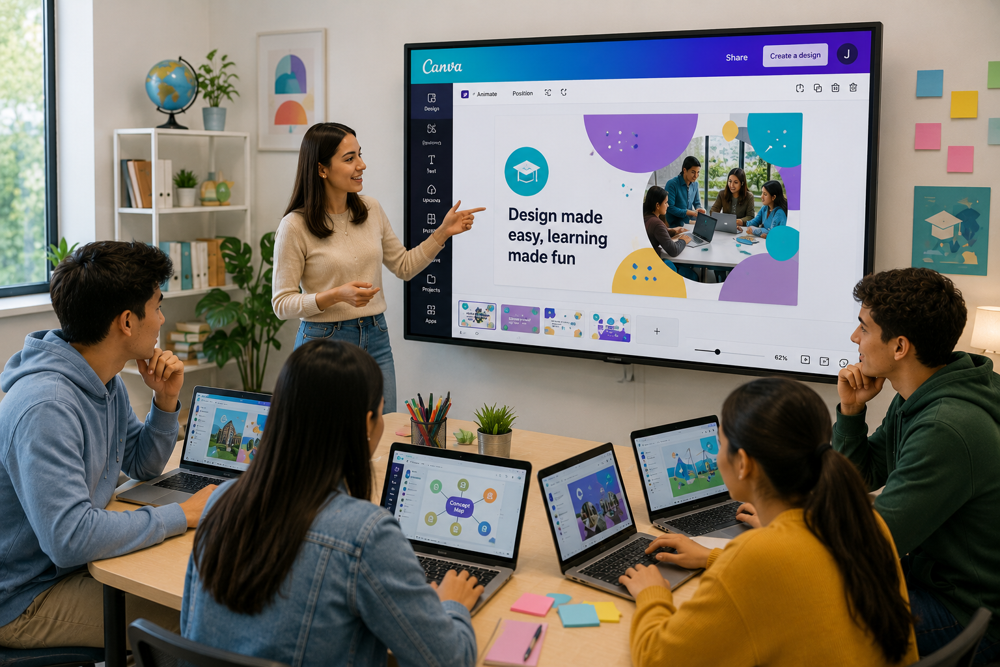
The digital transformation of education has significantly changed the way teachers create learning materials and how students engage with educational content. Today, visual communication plays a crucial role in improving understanding, increasing engagement, and enhancing knowledge retention. One of the most widely used platforms that supports creative teaching and learning is Canva Education.

Canva Education is a free educational version of Canva designed specifically for teachers, students, and educational institutions. It provides access to premium design tools, thousands of professionally designed templates, collaborative workspaces, and artificial intelligence features that simplify the creation of educational resources. Whether creating presentations, worksheets, videos, posters, or infographics, Canva Education enables educators to produce visually appealing materials without requiring professional graphic design skills.

For students and future educators of the Bukhara State Pedagogical Institute, learning to use Canva Education is an excellent opportunity to strengthen digital competencies, improve creativity, and develop professional teaching resources aligned with the demands of 21st-century education.


1. What Is Canva Education?

Canva Education is a cloud-based graphic design platform developed specifically for educational purposes. It offers free access to premium Canva features for verified teachers and eligible educational institutions.

Using Canva Education, users can create:

  • classroom presentations;

  • lesson plans;

  • worksheets;

  • certificates;

  • educational videos;

  • posters;

  • infographics;

  • newsletters;

  • classroom decorations;

  • social media content.

The platform is available through web browsers and mobile applications, making it accessible from virtually any device.


2. Key Features of Canva Education

Canva Education includes a wide range of features that simplify educational content creation.

Its major features include:

  • thousands of educational templates;

  • drag-and-drop design tools;

  • collaborative editing;

  • cloud storage;

  • multimedia integration;

  • animation tools;

  • presentation mode;

  • video editing;

  • whiteboards;

  • AI-powered design assistance.

These features allow educators to focus more on teaching and less on technical design challenges.


3. Benefits for Teachers

Canva Education helps teachers design engaging learning experiences.

Educators can:

  • create visually attractive presentations;

  • develop instructional posters;

  • design worksheets and quizzes;

  • prepare certificates and awards;

  • produce educational videos;

  • organize lesson materials efficiently;

  • collaborate with colleagues.

Professional-looking educational materials can significantly increase student motivation and understanding.


4. Benefits for Students

Students also gain valuable opportunities through Canva Education.

They can:

  • prepare academic presentations;

  • create digital portfolios;

  • design research posters;

  • collaborate on group projects;

  • improve visual communication skills;

  • develop creativity and innovation.

These experiences prepare students for both academic and professional environments.


5. Canva Education and Visual Learning

Visual learning improves comprehension by presenting information through graphics, colors, and illustrations.

Canva Education supports visual learning by providing:

  • infographics;

  • charts and graphs;

  • icons and illustrations;

  • educational animations;

  • interactive presentations;

  • educational videos.

These visual elements help simplify complex concepts and improve long-term knowledge retention.


6. Collaboration and Teamwork

One of Canva Education's greatest strengths is its collaboration features.

Users can:

  • edit designs simultaneously;

  • leave comments;

  • assign tasks;

  • share projects securely;

  • monitor revision history;

  • work together in real time.

These capabilities encourage teamwork and project-based learning.


7. Artificial Intelligence in Canva Education

Artificial intelligence has become an important component of Canva Education.

AI-powered tools help users:

  • generate presentation content;

  • create graphic designs;

  • produce educational images;

  • write text;

  • remove image backgrounds;

  • resize designs automatically;

  • receive design recommendations.

Although AI increases productivity, educators should always verify AI-generated content for accuracy, relevance, and educational quality.


8. Best Practices for Using Canva Education

To maximize educational impact, users should:

  • select templates appropriate for learning objectives;

  • maintain consistent color schemes;

  • avoid overcrowding slides with text;

  • use high-quality visuals;

  • encourage student collaboration;

  • organize materials clearly;

  • export projects in suitable formats such as PDF, MP4, or PPT.

These practices help create professional educational resources that effectively support learning.


9. Limitations of Canva Education

Despite its many advantages, Canva Education has certain limitations.

These include:

  • dependence on internet connectivity;

  • some AI tools have usage limits;

  • advanced professional graphic design software offers more specialized features;

  • certain design elements may have licensing restrictions.

Nevertheless, Canva Education remains one of the most accessible and effective design platforms available for education.


10. Why Should Future Teachers Learn Canva Education?

Modern educators are expected to possess strong digital communication and instructional design skills.

Learning Canva Education enables future teachers to:

  • create engaging teaching materials;

  • improve classroom communication;

  • develop visual literacy;

  • support student creativity;

  • integrate technology into teaching;

  • strengthen digital pedagogical competencies.

These skills are increasingly valued in educational institutions around the world.


Conclusion

Canva Education has become one of the world's leading educational design platforms by combining creativity, collaboration, and technology into a single easy-to-use environment. With professional templates, AI-powered tools, multimedia support, and collaborative features, it enables teachers and students to produce high-quality educational materials efficiently. As digital education continues to evolve, Canva Education empowers educators to design engaging learning experiences that improve student participation and understanding. Students and future teachers of the Bukhara State Pedagogical Institute who master Canva Education will be well prepared to create innovative educational content and contribute to the advancement of modern digital education.

SEO Keywords: Canva Education, Canva for Education, educational design platform, digital learning, visual learning, graphic design for teachers, educational technology, AI in education, Bukhara State Pedagogical Institute, digital pedagogy.